Search This Blog

Showing posts with label Other Stuff. Show all posts

gravatar

Mengatasi flashdisk yang write protect

Use DiskPart Open a command prompt window for the windows version you are using

  • In the command prompt type diskpart
  • Type list volume to identify the thumb drives volume #.
  • Type select volume # where # is your thumb drives # and press enter.
  • Type attributes disk clear readonly press enter. You should get text back saying Disk attributes cleared successfully
Remove the flash drive, then reinsert into USB.
Check the drive in question, you should now be able to access the disk with full permissions.

gravatar

Recover the BIOS on a Compaq CQ45-107TX

The following is a discription of how to recover the BIOS on a CQ45-107TX running the InsydeH2O EFI BIOS using a USB thumb drive.

IMPORTANT !!!
Obtained the correct BIOS file, HP seem to provide many different BIOS’s. For instance the BIOS for CQ45-107AU is not the same as CQ45-107TX.

For the CQ45-107TX I used the Insyde BIOS version F.04 file 30F7F04.FD then Renamed the file 30F7F04.FD to 30F7.BIN and placed it on a USB thumb drive.Disconnected the AC adapter from the notebook.Removed the battery from the notebook.Inserted the USB thumb drive into one of the USB ports on the notebook.
Didn’t seem to matter which one.

Read more »

gravatar

Cara Jitu Download Driver Windows

Langsung to the point aja gan...
Berikut ini adalah cara mengenali dan mencari driver untuk perangkat komputer anda tanpa software atau program bantuan (spt driver genius, dll) hanya dengan bantuan http://devid.info


Step 1.

Read more »

gravatar

Error install Microsoft Office 2007 pada Windows Xp Home Edition


The windows installer service cannot update one or more protected windows itulah pesan error yang muncul pada saat saya menginstall microsoft office 2007, Pesan ini muncul ketika saya menginstall windows xp menggunakan flasdisk seperti artikel Cara Install Windows XP dengan Flashdisk yang sudah pernah saya bahas sebelumnya. Tetapi jika saya menginstall Windows ini dari CD error ini tidak muncul.

Saya cari masalahnya dengan melihat Log error tenyata terdapat pesan “Error 1933. The Windows Installer service cannot update one or more protected Windows files. SFP Error: 1223. List of protected files:\r\nc:\program files\common files\microsoft shared\web server extensions\40\bin\fp4autl.dll”. Jadi intinya installer microsoft office 2007 tidak bisa menemukan file tersebut sehingga proses install berhenti dan berikut adalah solusinya jika anda mengalami error seperti ini :

- Buka Cd installer windows XP kemudian masuk ke directori “i386“ dan cari file “FP40EXT.CAB” . atau download file nya di sini

- Copy file tersebut dan Extra menggunakan Winrar/7zip.
- Dari hasil ekstrak tadi cari file “fp4Autl.dll“
- Kemudian Copy file tersebut ke directori C: \program files\common files\microsoft shared\web server extensions\ 40\bin .
- Ulangi Proses installasi Microsoft Office anda dan kini error tersebut tidak muncul lagi.

Selamat mencoba mudah-mudahan berhasil

Sumber - ndroe

gravatar

WinXP USB Flashdisk Installer


Tips ini mungkin sangat berguna bagi anda pemakai netbook, terutama kalau tidak memiliki CDROM external atau converter ide/sata to usb. Sekarang anda tidak perlu lagi mencari cdrrom external dsb, cukup dengan flashdisk minimal 1Gb anda bisa menginstall win xp ke netbook/notebook/pc yang support usb boot.

Berikut ini adalah cara membuat windows xp installer menggunakan USB Flashdisk.

Alat-alat yang harus di persiapkan :
- Usb Flash disk apa aja ( Min 1GB lebih besar lebih bagus).
- File iso image winxp ato cd installer winxp (harus pake cdrom drive)
- Download Program berikut ini USB_MultiBoot_10.zip

Tahapan :
- Colokan usb flashdisk
- Extrak file iso image winxp ke sembarang folder.
- Extrak usb_multiboot_10 yang sudah di download..
- Jalankan usb_multiboot_10.cmd
- Format usb flashdisk dengan ntfs.
- selanjutnya tinggal 1.. 2.. 3..
- Selesai,,,

Usb Flashdisk anda sudah siap di gunakan untuk menginstall winXP ke netbook anda..

gravatar

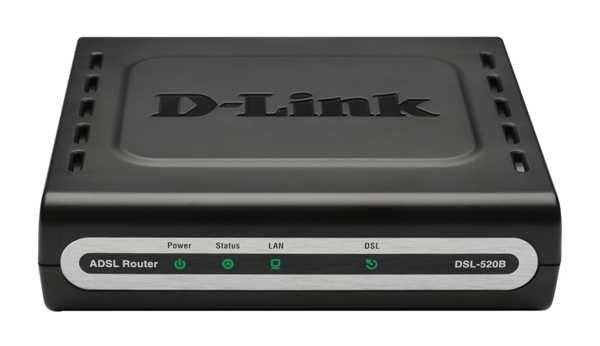
Update D-link Firmware DSL-520B/526B/2542B

DSL-520B/526B bisa dibilang adalah ADSL modem router sejuta umat. Bagi pengguna Speedy pasti mengetahui (atau sudah menggunakan) ADSL modem router ini. Dan bagi anda yang ingin meningkatkan kemampuan ADSL modem router ini dapat mengupdatenya dengan firmware terbaru yang bisa di download dari situs resmi d-link. Adapun step-by-step update firmware secara tertulisnya silahkan ikuti dibawah : (contoh menggunakan DSL-2542B, utk DSL-520B/526B sama, hanya beda file firmware saja)

1. Hidupkan DSL-2542B anda dan plug sebuah PC/Laptop ke port Ethernet pada modem anda scr langsung
2. Download firmware DSL-2542B terbaru disini http://support.dlink.co.id/firmware/DSL-2542B-SE_1.11_08042009.rar
3. Extract file tsb ke directory D:\

Read more »

gravatar

Hack Vista Login Password - Membuat Akun Admin Baru


Ada kalanya mungkin kita lupa pasword admin untuk windows vista kita, atau kalau anda seorang teknisi komputer mungkin saja anda ingin memperbaiki komputer dengan windows vista tapi anda tidak tahu pasword admin-nya. Sebenernya banyak program utk membuka pasword admin, tapi disini saya sedikit mau share tentang bagaimana membuka password admin dengan cara membuat akun baru dengan privasi setara admin, dengan cukup menggunakan cd installer win vista.

Read more »

gravatar

Free AJAX-based & PHP WebMail Clients

Today i wanted to share with you 10 AJAX-based & PHP webmail client that delivers the look and feel, usability and performance of a desktop application. Some of the webmail clients listed below are open source code that can be easily modified to better suit user’s needs, while others are not. So You must check their license to know the rules.

1. RoundCube

RoundCube Webmail is a browser-based multilingual IMAP client with an application-like user interface. It provides full functionality you expect from an e-mail client, including MIME support, address book, folder manipulation, message searching and spell checking. RoundCube Webmail is written in PHP and requires a MySQL or Postgres database. The user interface is fully skinnable using XHTML and CSS 2.

Webmail1 in 10 AJAX-based & PHP WebMail Clients For a Great User Experience

Read more »

gravatar

Reset Pixma IP1980 / 1880

Reset Printer IP1980/1880 diperlukan jika printer tiba2 ngadat dan lampu nyala ngeblink ato kedip2. Untuk me-resetnya donlod dahulu Software Reset Printer IP1980/1880 disini
Kemudian lakukan reset seperti berikut :
1. Tancapkan kabel power sambil tekan tombol Power lalu lepaskan tombol power.
2. Tekan tombol Power lagi untuk menghidupkan printer
3. Buka program iptool.exe
4. Disana ada 2 menu, Ink Counter dan Waste Ink Counter
5. Pada kotak menu Ink Counter klik Reset Black dan Reset Colour
6. Lalu pada Waste Ink Counter klik Reset Main dan Reset Platen
7. Matikan printer Canon IP 1980 anda.
8. Lalu nyalakan kembali printer. Printer anda akan kembali normal

Selamat mencoba...!